
Windows Server 2008 CloudWatch Agent Certificate Verification Failure
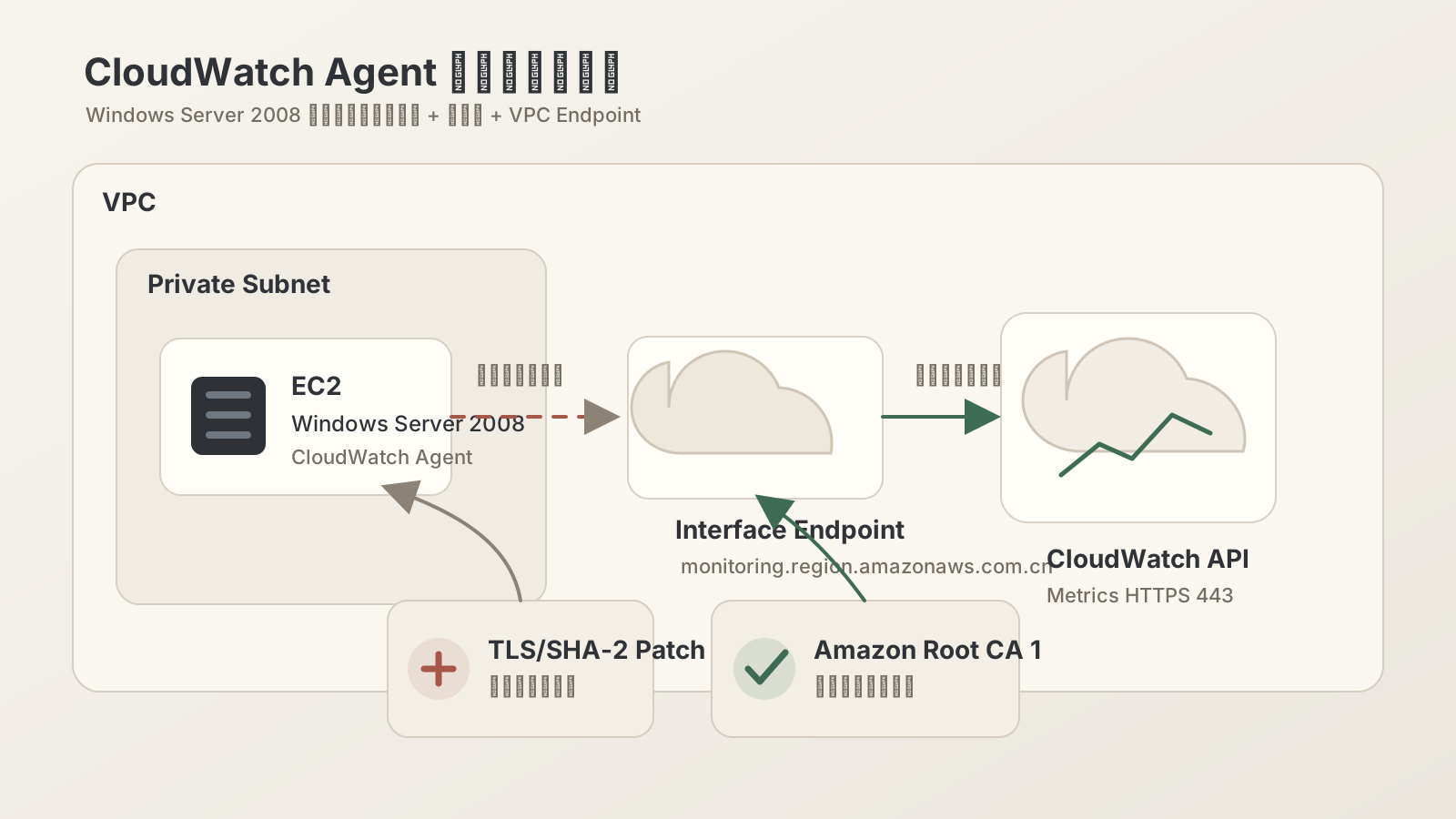
On a Windows Server 2008 EC2 instance, the CloudWatch Agent service status was normal, but monitoring metrics could never be reported to CloudWatch. The logs repeatedly showed x509: certificate signed by unknown authority, and the root cause was ultimately traced to outdated system root certificates and insufficient TLS support.
Symptoms
The CloudWatch Agent logs continuously showed errors like:
WriteToCloudWatch failure, err: RequestError: send request failed
caused by: Post https://monitoring.<region>.amazonaws.com.cn/:
x509: certificate signed by unknown authority
Also note two easily misdiagnosed points:
ping monitoring.<region>.amazonaws.com.cnfailing does not necessarily mean the service is unreachable — Interface Endpoints typically do not respond to ICMP.- Opening the CloudWatch API endpoint in a browser and getting
404 Not Foundis also normal — it is not a regular web service.
Root Cause
The root certificate store on Windows Server 2008 is too old and may lack the root certificates needed to verify AWS server certificates, such as Amazon Root CA 1. Purely internal instances that cannot access the public internet also cannot automatically pull new trusted root certificates.
Additionally, older versions of Windows Server 2008 may also lack patches that support modern TLS chains. The end result is that the CloudWatch Agent cannot complete certificate chain verification when establishing an HTTPS connection.
Resolution Steps
1. Install SHA-2 / TLS Related Patches
First, install the required security patches for Windows Server 2008, such as KB4474419. The system must be restarted after patch installation.
wusa.exe C:\Patches\windows6.1-kb4474419-v3-x64.msu /quiet /norestart
shutdown /r /t 0
2. Import Amazon Root CA 1
Download the Amazon Root CA 1 certificate:
https://www.amazontrust.com/repository/AmazonRootCA1.cerIn an internal network environment, you can first download it from a machine with public internet access, then securely copy it to the instance.
Import it into the trusted root certificate store:
certutil -addstore -f Root C:\Patches\AmazonRootCA1.cerYou can also import it via the certmgr.msc graphical interface into "Trusted Root Certification Authorities."
3. Restart the CloudWatch Agent
net stop "Amazon CloudWatch Agent"
net start "Amazon CloudWatch Agent"
Verification
Check the Agent logs to confirm that x509: certificate signed by unknown authority no longer appears.
You can also test TCP 443 connectivity:
(New-Object System.Net.Sockets.TcpClient).Connect("monitoring.<region>.amazonaws.com.cn", 443)If the command completes without errors, TCP layer connectivity is confirmed. Ultimately, verify that metrics are being reported normally in the CloudWatch console.
Summary
When running CloudWatch Agent on older Windows Server 2008 systems in a purely internal network environment, the common issue is not VPC Endpoint configuration, but outdated system root certificates and TLS capabilities. The recommended resolution order is:
- Confirm CloudWatch endpoint TCP 443 is reachable.
- Install necessary system patches.
- Manually import Amazon Root CA 1.
- Restart the CloudWatch Agent and observe the logs.
Such legacy systems should be included in a migration plan, as they will continually encounter certificate, TLS, patch, and software compatibility issues over time.